
Hearing your automatic gate keep beeping can be annoying, especially if you do not know why it is happening. Beeping is often the gate’s way of alerting you to a problem, such as a low battery, a blocked sensor, or an electrical issue.
At Top Fix Garage Doors and Gates, we often receive calls from Houston homeowners asking why their gates are making constant beeping sounds. The good news is that most of these issues are easy to identify and can be repaired quickly.
Here’s how to troubleshoot a gate that keeps beeping and when to call a professional.
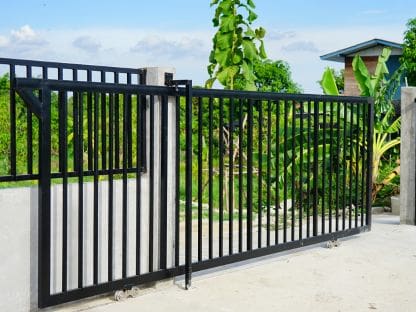
1. Understand What the Beeping Means
Most automatic gates have built-in warning systems. Beeping is an alert that something needs attention.
Common causes include:
-
Power loss or low battery
-
Obstruction in the gate’s path
-
Faulty sensors
-
Motor overload
-
Control board error
Each gate model uses different beep patterns. For example, a series of short beeps may indicate a battery issue, while long continuous beeps could mean a motor fault. Check your owner’s manual for your model’s beep codes or contact a professional to interpret them.
2. Check the Power Source
A frequent reason your automatic gate keeps beeping is a power issue. If the main power supply is interrupted, the gate switches to battery backup, which triggers a warning sound.
Troubleshooting steps:
-
Check if other electrical devices on the same circuit are working.
-
Make sure the gate’s power switch or breaker is on.
-
If your gate uses solar power, clean the solar panels and ensure they are getting sunlight.
-
Replace or recharge the backup battery if it has reached the end of its life.
If your gate stops beeping after power is restored, the problem was likely a temporary power outage. If not, the issue may lie in the wiring or control board.
3. Inspect the Battery Backup System
Many automatic gates have a backup battery that allows the system to operate during a power failure. When the battery runs low or malfunctions, the gate begins to beep.
Signs of a weak or dead battery:
-
The gate moves slowly
-
The gate stops midway
-
The control panel flashes a battery warning light
Fix:
-
Unplug the gate and open the battery box.
-
Check for corrosion on the terminals.
-
Replace the battery if it is older than three years.
If your battery drains frequently, there may be a charging circuit problem that needs professional repair.
4. Look for Obstructions or Sensor Problems
Your gate sensors are designed to detect obstacles. If they are dirty, misaligned, or blocked, the system may beep to alert you of the problem.
Steps to fix sensor issues:
-
Clean the sensor lenses with a soft cloth.
-
Make sure both sensors are facing each other directly.
-
Remove any objects like leaves, dirt, or cobwebs.
If your gate still beeps after cleaning, the sensor wiring may be loose or damaged. A technician can test and realign the sensors to restore normal operation.
5. Check for Motor or Control Board Errors
When your automatic gate keeps beeping continuously, it might be signaling an internal fault in the motor or control board.
Warning signs include:
-
The gate stops moving altogether.
-
You hear clicking but no motor sound.
-
The gate moves unevenly or reverses unexpectedly.
Motor or circuit board problems are not safe to repair on your own. These parts carry high voltage and require proper diagnostic tools. Contact Top Fix Garage Doors and Gates for a full inspection and safe repair.
6. Review the Safety Features
Some safety systems, like pressure sensors or photo eyes, trigger a beep when malfunctioning. This helps prevent the gate from closing on an object or person.
To troubleshoot:
-
Test the gate by waving your hand in front of the sensors while closing.
-
If the gate beeps but does not close, the sensors are working.
-
If it keeps beeping with no obstacle present, they may need recalibration.
Our technicians can adjust the sensitivity and replace faulty components to eliminate false alerts.
7. Reset the Gate System
Sometimes a simple reset stops the beeping. Resetting clears minor software glitches or power surges.
How to reset your gate:
-
Turn off the power supply.
-
Wait at least 30 seconds.
-
Turn the power back on and test the gate.
If the beeping returns immediately, there may be a stored fault code. A professional can connect diagnostic tools to read the error message.
DIY Fixes vs Professional Service
While basic checks are fine, most electrical or motor issues should only be handled by professionals.
Safe DIY tasks:
-
Replacing backup batteries
-
Cleaning sensors
-
Checking for debris around the gate
Professional repairs needed for:
-
Wiring or motor faults
-
Control board replacement
-
Battery charging circuit issues
Electric gates operate under high voltage. Trying to fix them without proper tools can cause injury or further damage.
When to Call a Professional in Houston
If your automatic gate keeps beeping after you have checked the power, sensors, and battery, it is time to contact a qualified technician.
Top Fix Garage Doors and Gates provides:
-
Electric gate repair in Houston
-
Motor and control board diagnostics
-
Sensor calibration and safety checks
-
Backup battery replacement
-
Preventive maintenance to stop future problems
Our Houston team can identify the source of the beeping and repair it safely, often on the same day.
Keep Your Houston Property Secure
A sliding gate that sticks or stops moving is more than an inconvenience. It can block access, reduce security, and create frustration for your family or customers. The good news is that most gate problems can be solved with proper repair and maintenance.
If you are dealing with a sliding gate stuck in Houston, contact Top Fix Garage Doors & Gates today. Our team provides same-day service, professional repairs, and long-term solutions to keep your gate running smoothly.
📞 Call now for fast, reliable gate repair and restore your peace of mind.
0 Comments